How does payment work?
Fees charged in advance by card or SEPA direct debit, with an electronic invoice issued by Sefthy. Terms, the pro-rata on the first activation, payment methods and where you cancel.
Sefthy services are paid in advance. The charge goes through the payment portal, the invoice is issued by Sefthy as an electronic invoice.
How long the subscription lasts
When you activate a DR you pick the Billing interval among four options.
| Term | What you pay |
|---|---|
| Monthly | A fee every month, no commitment |
| Annual | One year with 1 month free |
| Biennial | Two years with 3 months free |
| Triennial | Three years with 6 months free |
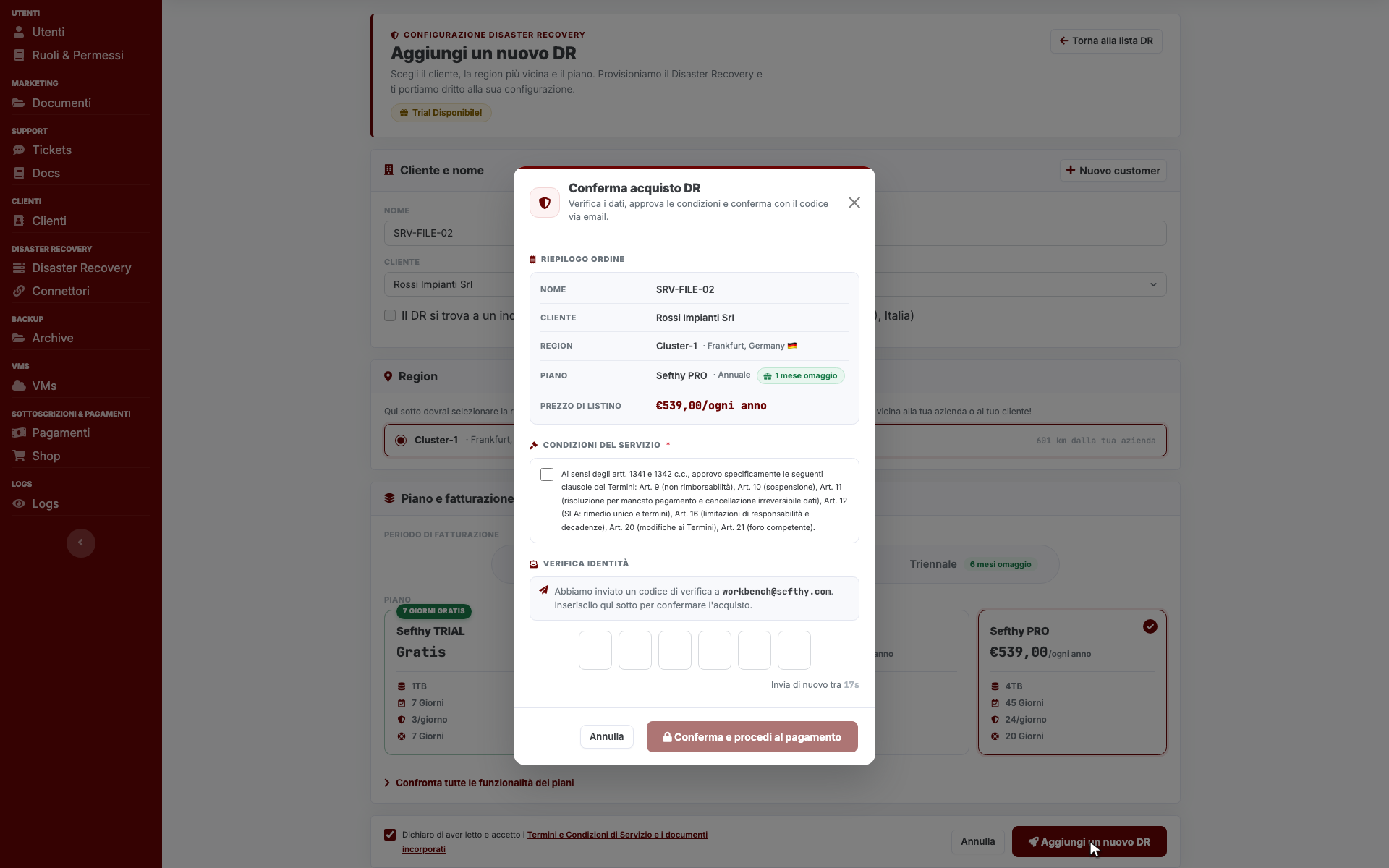
The order summary shows the List price of the plan for the term you picked, before you confirm with the code sent by email.
The first charge
On the monthly term you only pay the days left until the end of the current month. From the following month the full fee starts, always in advance, anchored to the first day of the month.
How the payment request reaches you depends on where you are.
- If your company already has an active subscription and you pick Monthly, the pro-rata is charged right away on the default payment method and you stay inside the Console.
- In every other case, the first activation and the multi-year terms included, Sefthy takes you to the payment page where you enter your details.
Accepted methods are card and SEPA direct debit. If your bank asks for 3D Secure verification a dedicated page opens where you confirm, then you land back in the Console with the DR active. With SEPA direct debit the service starts immediately and the money settles a few days later, so do not worry if your bank statement lags behind the activation.
Invoices and payment method
The invoice is an electronic invoice issued by Sefthy and sent to the Italian Interchange System with the recipient code stored in your company details. You find it wherever you receive all your other electronic invoices, there is nothing to download from the Console.
For everything else there is the payment portal. In the side menu, under Subscription & Payments, the Payments entry opens the portal in a new tab. From there you update the default payment method and review the charge history.
If you agreed a commercial discount with Sefthy, the discount is already inside the charge and the invoice line carries the reduced unit price. You do not enter any code and you do not see it as a separate item.
How to cancel
A monthly DR is closed from its own page. Open the More actions menu and choose Cancel DR Subscription. The DR stays active until the end of the current month and is deleted on the first day of the following one. Until then the menu shows Cancel DR Delete, so you can step back.
Annual, biennial and triennial terms are not cancelled from the DR page. You turn the renewal off in the payment portal and the Console aligns on its own, scheduling the removal at the end of the paid period.