Granular restore
Recovering individual files and folders from a disk image backup, straight from the Sefthy Agent.
Granular restore pulls individual files and folders out of a disk image backup, without restoring the whole server. It is included in the Sefthy and Sefthy PRO plans and you start it from the Sefthy Agent installed on the server.
How to do it
-
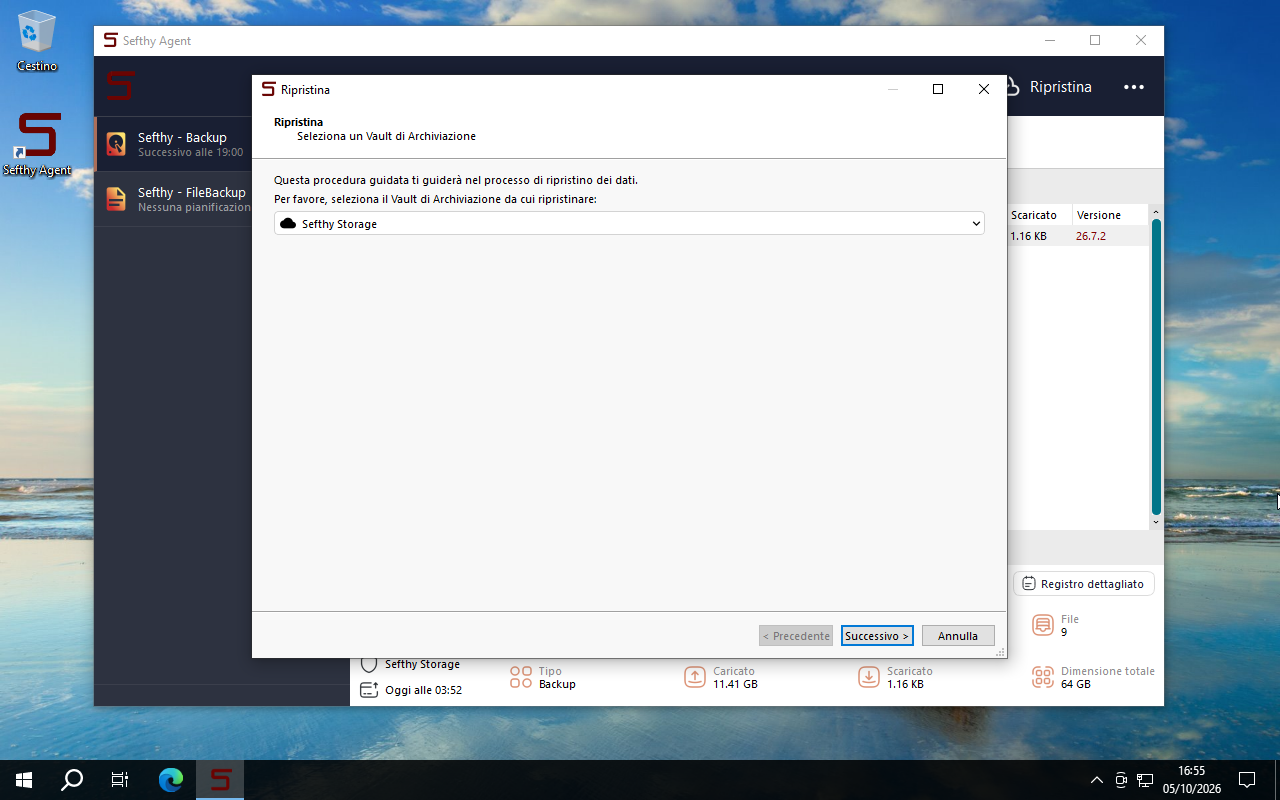
Open the Sefthy Agent interface and click Restore at the top right. Pick the vault to restore from, usually Sefthy Storage, and click Next.
-
Choose Sefthy - Backup to start from the latest backup, or select a specific restore point, and proceed.
-
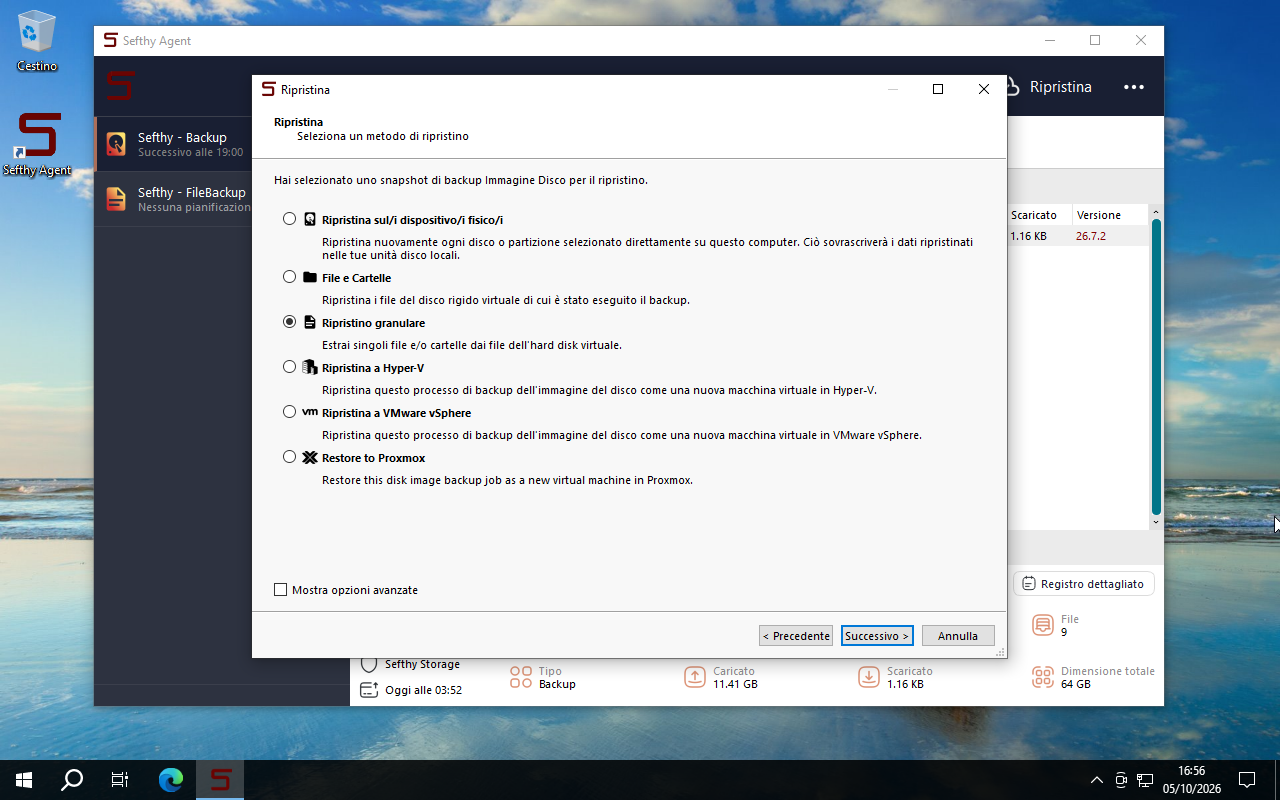
Among the restore methods select Granular Restore and click Next.
-
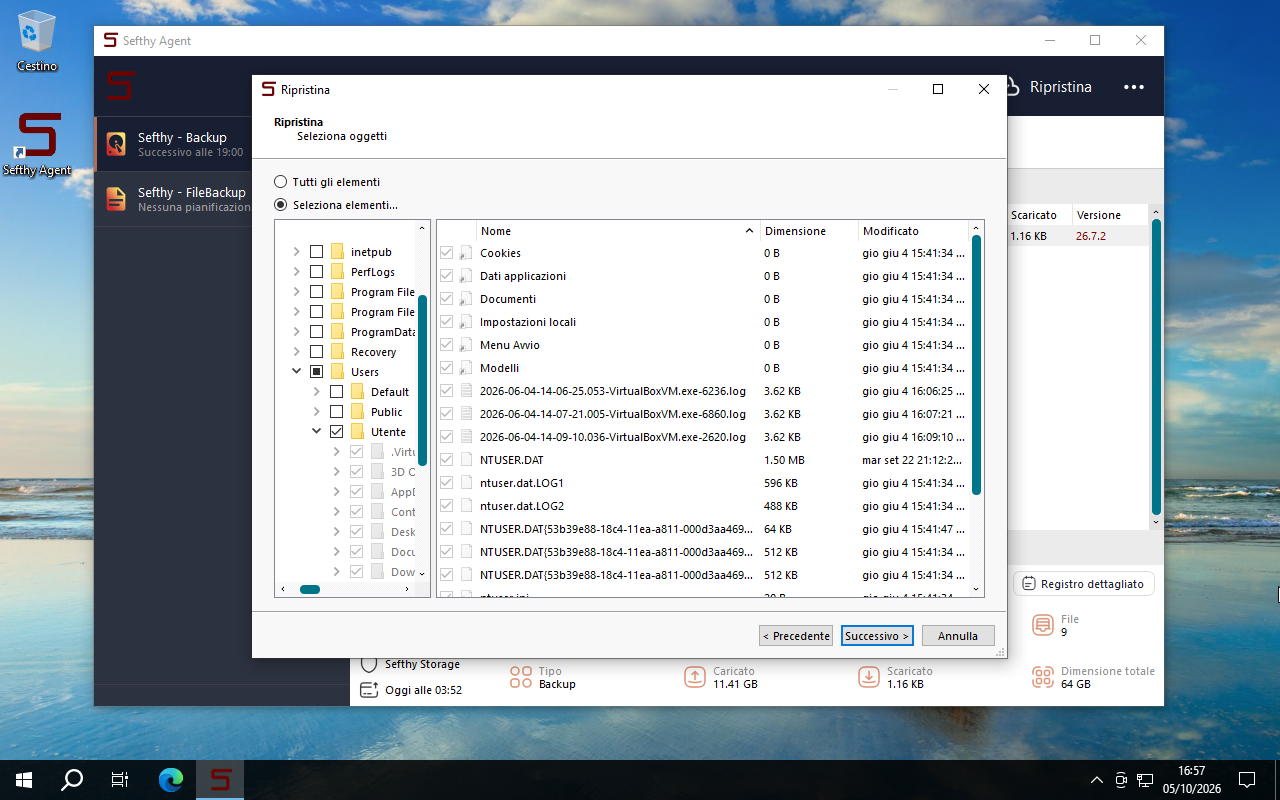
Once the disk content is loaded, tick the files and folders you want back. All items takes the whole disk.
-
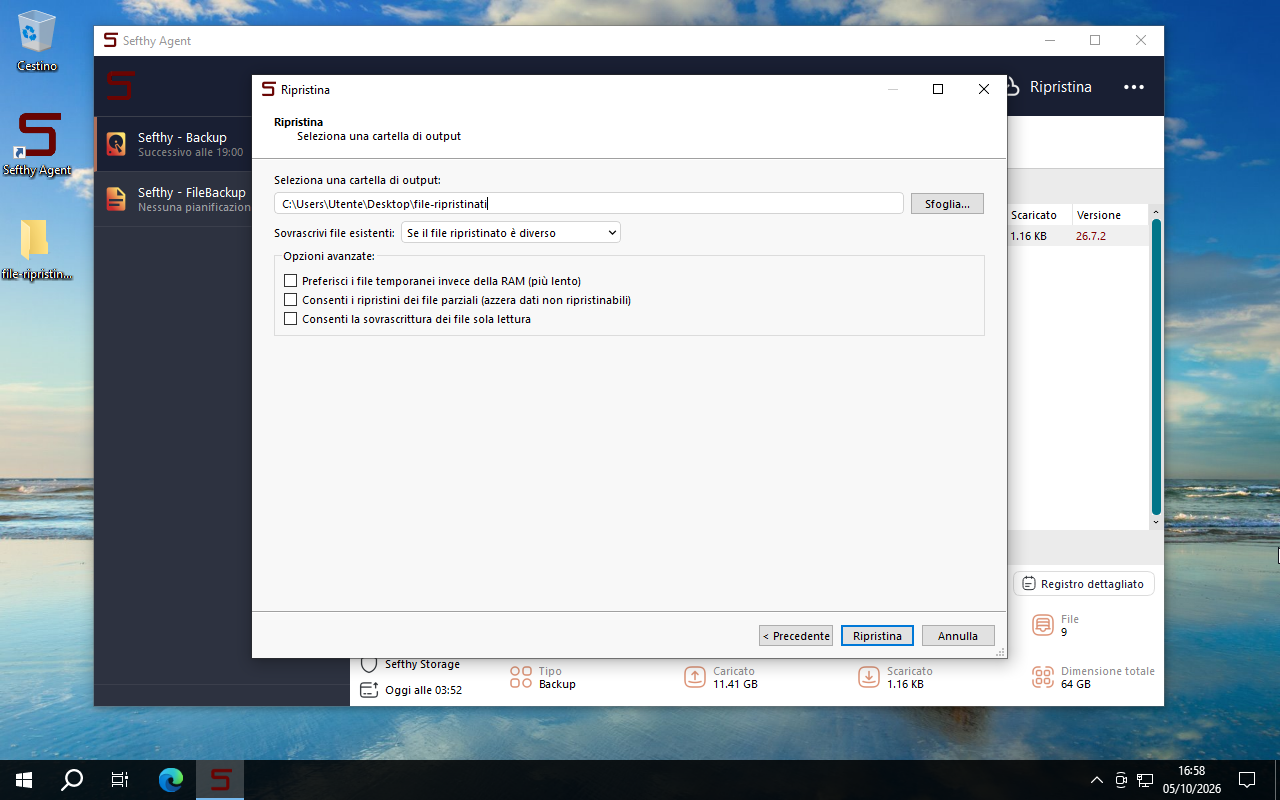
Set the local folder to save them in and how to handle files that already exist, then click Restore.
-
Wait for the operation to finish. The restored files are in the folder you picked.
Compatibility
Granular restore reads the content of the disk image, so the disk must use a partitioning scheme and a file system the Agent can interpret.
Partitioning schemes
| Support | Schemes |
|---|---|
| Full | GPT, MBR (including EBR partitions) |
| Partial | Windows Dynamic Disk, Windows Storage Spaces, Linux LVM2, Linux MD |
File systems
| File system | Support | Notes |
|---|---|---|
| NTFS | Yes | Advanced metadata and reparse points might be missing. With Windows Server Data Deduplication, files can show up as reparse points. |
| FAT | Yes | Recognition depends on the utility that formatted the disk. |
| EXT4 | Yes | Symbolic links are not restored. |
| XFS | Yes | |
| ReFS | No | |
| exFAT | No |